
Register your team!
Important
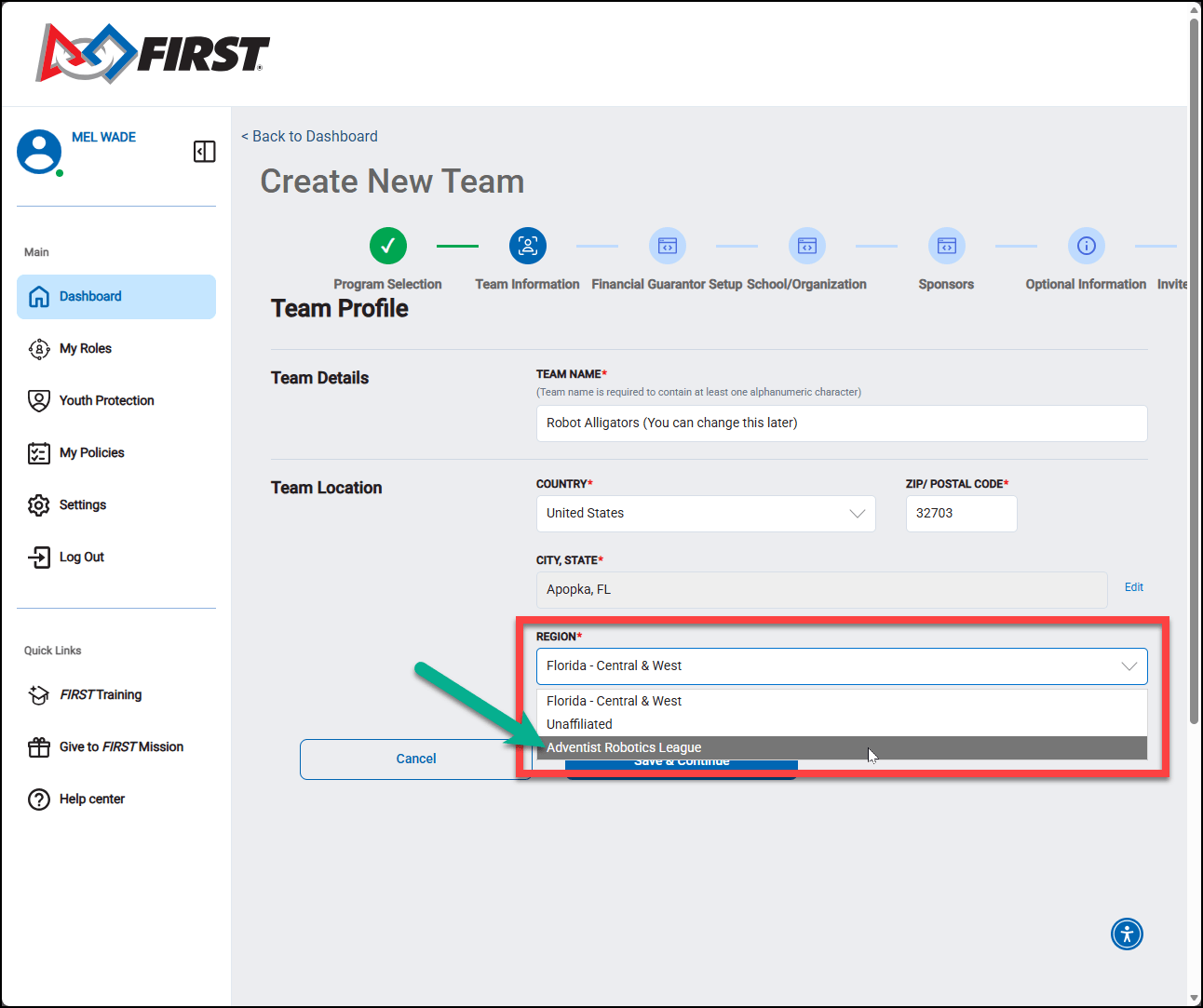
When registering your team, be certain to change your "Region" from your state to "Adventist Robotics."
To register your team, please review the information below, then select the red button at the bottom of this page.
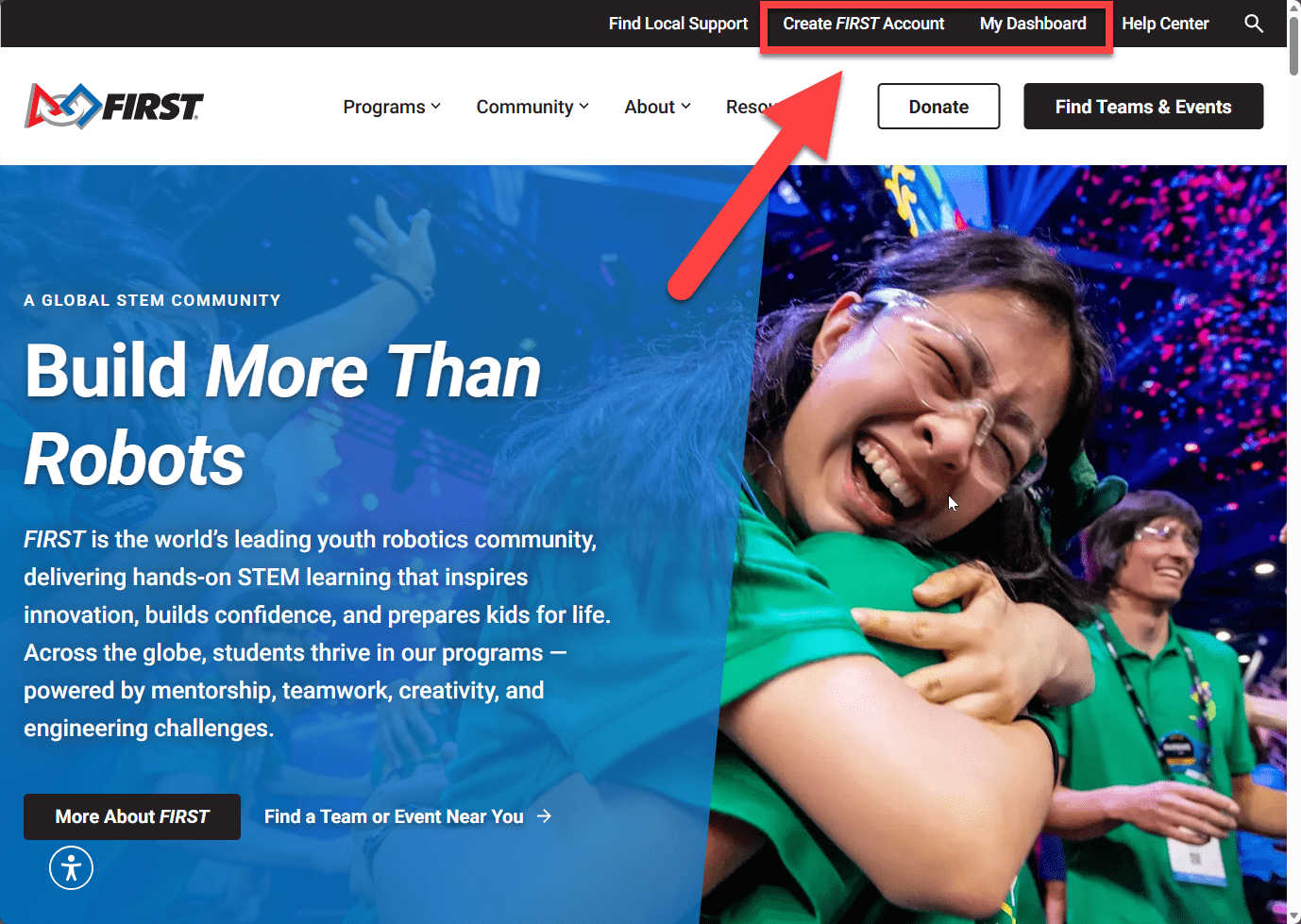
To register a team, go to www.firstinspires.org and select Create FIRST Account to create a profile.
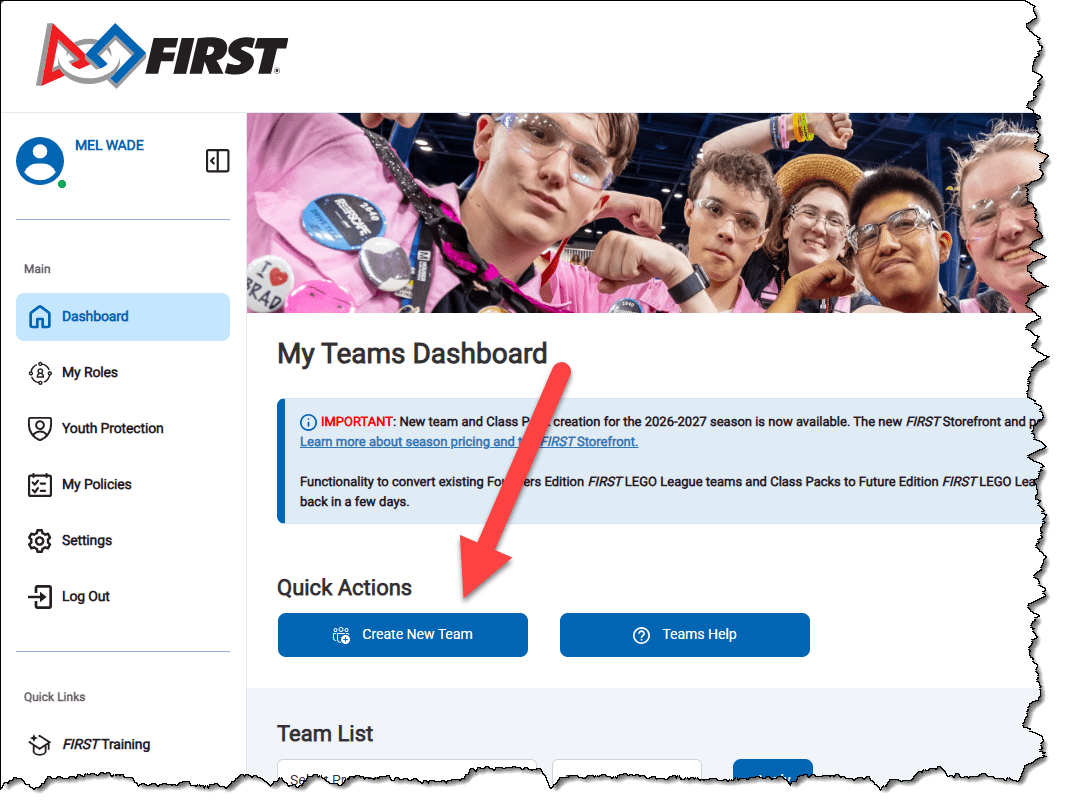
After you have created your profile and logged in, be sure that 1) My Teams is selected and the select 2)Create New Team.
You will now be asked if you are an administrator or a coach. Most will select Lead Coach1. Only select Administrator if you are the ONLY paying for the registration, but you will not be working with the student. If you are an Administrator, you will need to invite the coaches later.
For FIRST LEGO League Challenge, select FIRST LEGO League, 1)Select Division, and 2) FLL Challenge Team Registration.
For FIRST Tech Challenge, select FIRST Tech Challenge and Select and Continue.
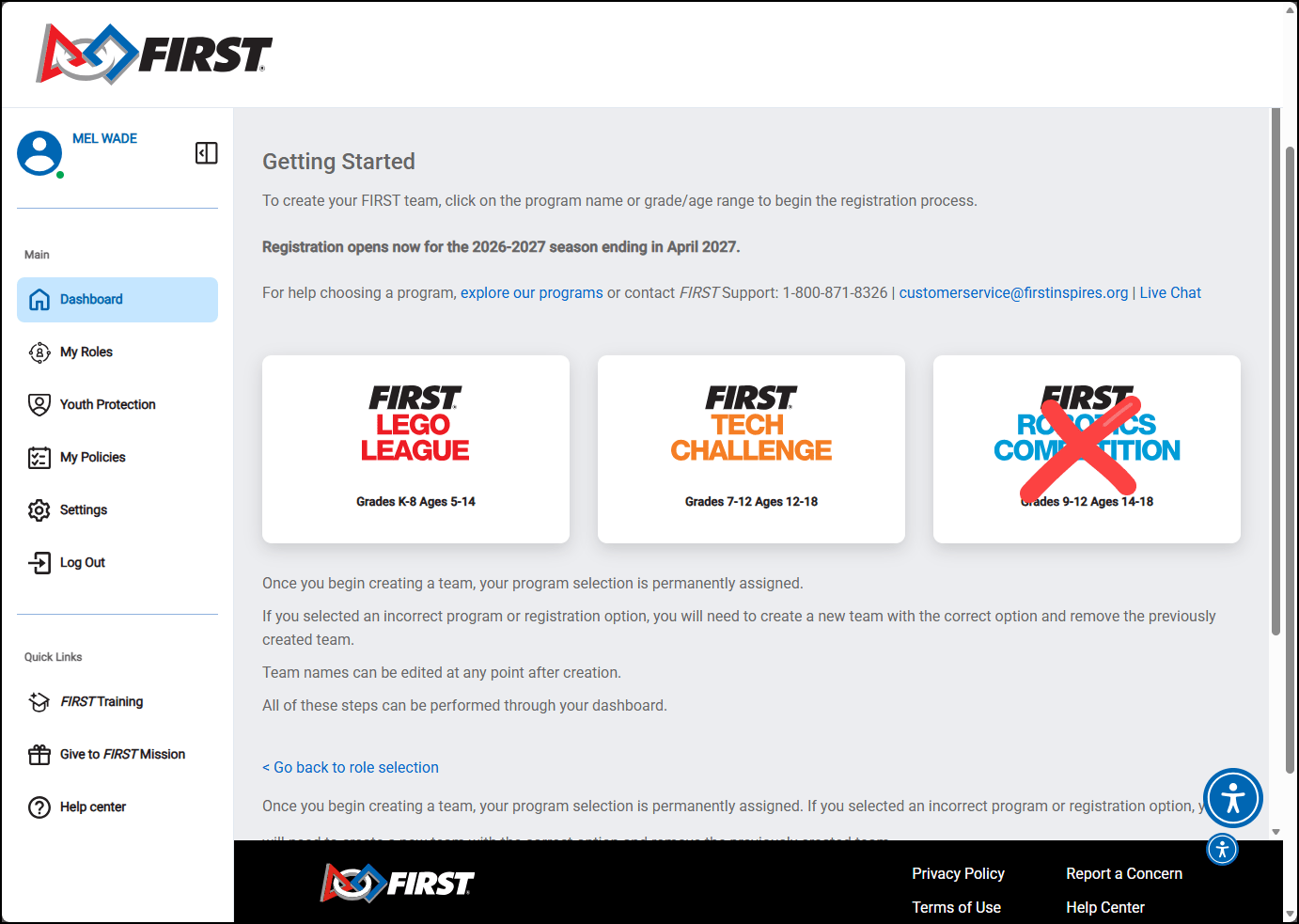
FIRST LEGO League Challenge Teams
Note: you will be asked to Select Particpation Options. Please select the following options (click image to enlarge):
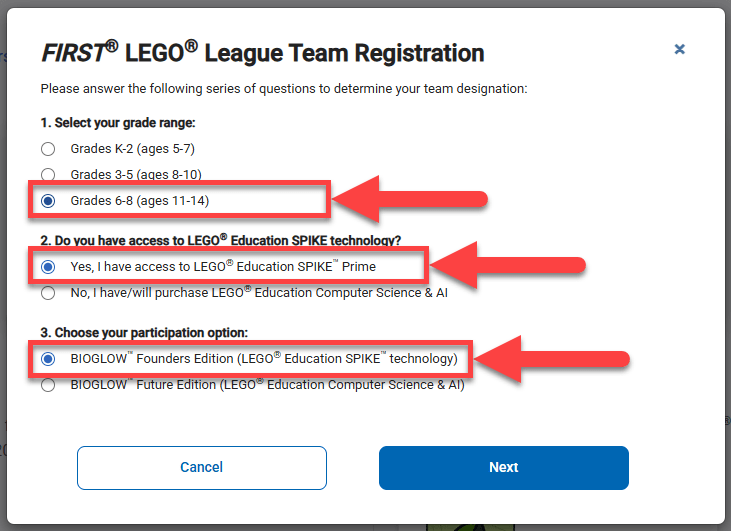
Your team may still have students in grades 4-8, and you may still use a LEGO Mindstorms EV3 Robot. If you are a new (rookie) team, please secure a grant commitment before registering.
The next screen will ask you to create a Team Profile. Your team name can be updated later if you have not chosen one yet.
IMPORTANT: After entering your Zip Code, be sure to change your Region to Adventist Robotics League (click on image to enlarge).
Complete the creation a new team.
Note that FIRST requires that each team have two adult coaches/mentors who have been screened through their Youth Protection Program. There are several steps to this, and this must be completed as your team will not be allowed to complete without this being completed! The second coach does not always need to be there and can be a principal, fellow teacher, or parent.
If you need to be sales tax-exempt, you will need your school's EIN and tax-exempt certificate (if required by your state).
After you have registered your team, you will need to go to the FIRST Storefront to complete the payment.